
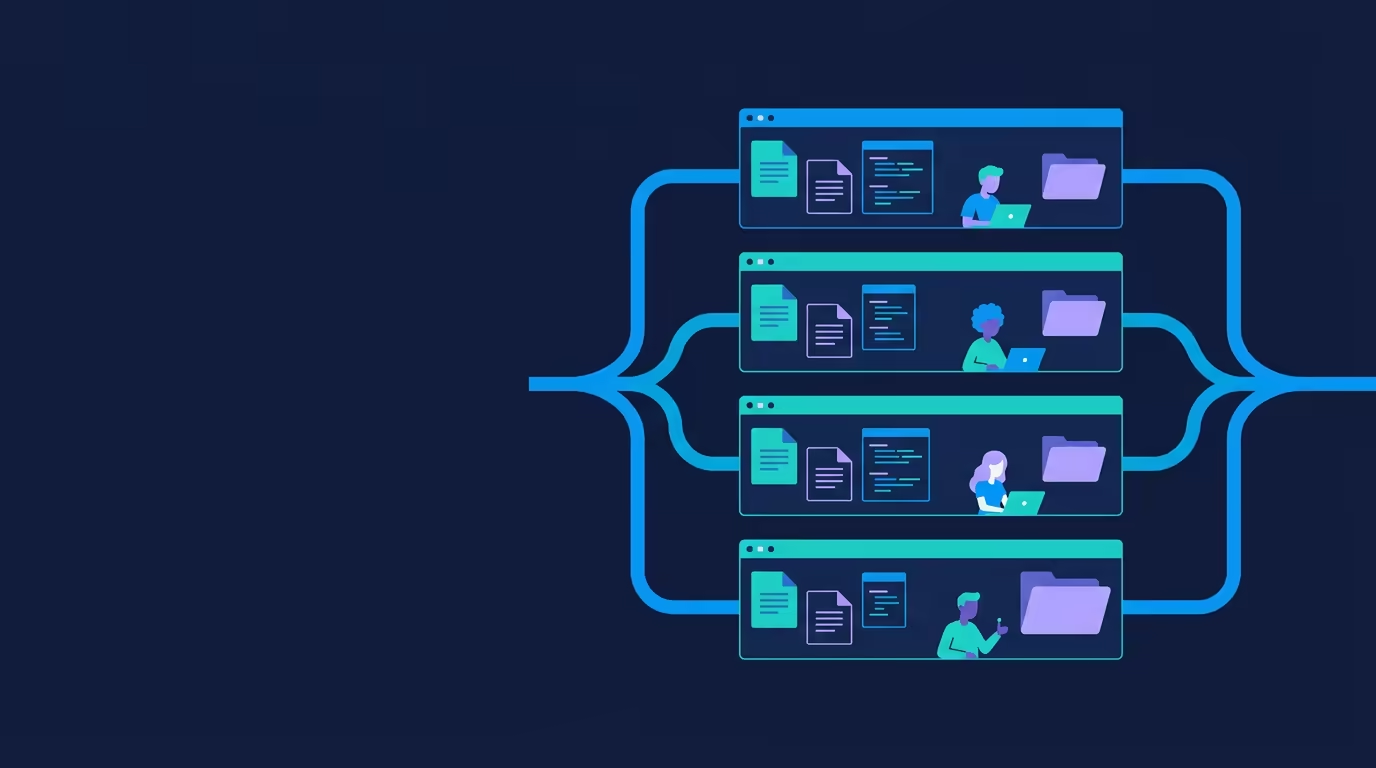
Most AI coding tools operate on one shared copy of a project. Tarsk takes a different approach with its isolated branch workspaces. Each thread gets a full clone of your repository in its own directory, checked out on its own git branch, paired with its own chat session.
That separation means two agents can work on the same project at the same time without hitting each other’s half-finished edits. One branch can build a feature while another writes tests, and a third keeps a clean copy ready for reference. When a branch is done, you merge it back with a standard git merge or pull request.
Why Isolated Branch Workspaces matter
A single working copy forces every task to wait or interfere. You cannot comfortably run a review while an agent edits the same files, and competing approaches to one feature collide in the checkout.
Isolated workspaces remove those constraints. Each line of work has its own files, its own chat history, its own model selection, and its own dev server. Agents never share working files, so parallel runs do not create the tangles that fill a shared working tree.
What each workspace contains
A branch in Tarsk is a complete isolated workspace:
- A full clone of the repository, stored in its own directory
- A dedicated git branch with a readable name such as
add-login-page - An independent chat session that remembers its own conversation
- Its own model preferences
- Its own dev server instance when a run command is set
Agent changes on disk are real file edits inside that workspace. Each branch is a real checkout you can open, inspect, and drive with git tools the way you would any local clone.
Run parallel agents without tangling
Because each branch lives in its own directory on its own branch, agents never edit the same files at the same time. Parallel work runs cleanly by design.
Switch between branches from the branch list in the chat while another agent works. A running agent keeps going in the background with an animated status dot in its branch. Open a branch in your IDE, review the diff, and return to the running agent in another branch without interrupting it.
A common parallel setup:
- Branch 1: implement feature X, with the agent writing code
- Branch 2: write tests for feature X against the same codebase
- Branch 3: keep a reference copy while you review earlier work
Each line of work stays independent, and you decide when to compare or merge the results.
Independence per branch
Every branch keeps its own state across sessions. It remembers the chat conversation, the selected model, the git branch plus its file changes, and whether its dev server is running.
Opening a branch in an IDE opens that workspace directory, so you can edit alongside the agent. Ask for a change, review or adjust it in the editor, and send the next request in the same conversation. That loop works the same in every branch because each one is a normal local project.
Merge back with a standard git workflow
Each branch is a real git branch, so returning work to your main line follows the workflow you already know: commit, push, create a pull request, then merge.
The built-in review flow helps you check a branch before it ships:
- The Review panel shows a side-by-side diff. Additions appear in green, deletions in red, and the file list marks each file as modified, added, or deleted.
- Revert a single file to its last committed state when a change misses the mark. Untracked files you added can be removed from the workspace.
- Add inline comments on any diff line, then send all of them back to the agent with one command so it addresses the feedback in a single run.
- Commit your staged changes, push the branch to the remote, and create a pull request from the branch. Tarsk can draft a title and description from the diff, and you edit them before the PR is created.
Choose a commit method in Project Settings to match your team:
- Pull Request: feature branches and a PR flow through Git, made for team projects.
- Direct: commits push straight to the branch.
When a pull request for a branch merges, Tarsk can detect it and offer to sync or start a fresh thread for the next task.
Sync with the main line
Sync with the default branch brings your branch up to date. Tarsk pushes any local commits that are ready, then replays your commits on top of the latest default branch. If a conflict appears, resolve it in your IDE and continue.
Concrete example
Imagine you are adding a settings page and a data export feature.
- Start a branch named
add-settings-page. The agent builds the page in its own clone. - Start a second branch named
add-export. The agent adds the export flow there in parallel. Neither agent touches the other branch’s files. - Review
add-settings-pagein the Review panel whileadd-exportkeeps running. - When both branches look right, push each one and open pull requests, or merge them back with standard git merge.
Trying two approaches to the same feature works the same way. Keep one branch as the reference and experiment in another, then merge the approach you prefer.
Common mistakes
Deleting a branch without a backup
Deleting a branch removes the thread and deletes its workspace directory from disk. That action is destructive. If you have pushed the branch to a remote, git keeps the branch there and you can recover it. Do not delete a branch you still need unless you saved the work elsewhere.
Sharing work across branches
Each branch owns its files and its chat history. A change made in one branch does not appear in another until you merge or rebase. Pass the context a branch needs rather than expecting changes to cross automatically.
Skipping the setup script
When you create a branch, Tarsk runs the project setup script so the clone is ready to use. A failed setup still creates the branch but may leave dependencies missing. Run the setup manually if a branch reports missing packages.
Forgetting to fetch before pushing
A push can fail when the remote has commits you do not have. Fetch first, resolve any conflicts, and retry. This keeps your branch aligned with shared work.
Holding too many full clones
Each workspace is a full clone on disk. Branches give you clean isolation, but the copies add storage. Close or delete branches you are done with to keep disk usage in check.
When to use an isolated workspace
Use a separate branch when a task can run independently, needs its own review, or competes with another approach on the same codebase. Parallel features, test work, experiments, and staged reviews all fit the model.
For a short, sequential change that follows the current branch, work directly in the branch you are on. Reserve new workspaces for work that benefits from isolation or concurrency.
Summary
Tarsk isolated branch workspaces give each thread a full clone on its own branch in its own directory. Agents run in parallel without tangling, each workspace remembers its own chat, model, files, and dev server, and you return work with a standard commit, push, and pull request flow.
Create a branch for each independent task, review the diff before merging, and sync with the main line when you need current code. Merge with a PR for team work or direct pushes when you want the branch to ship as-is.