
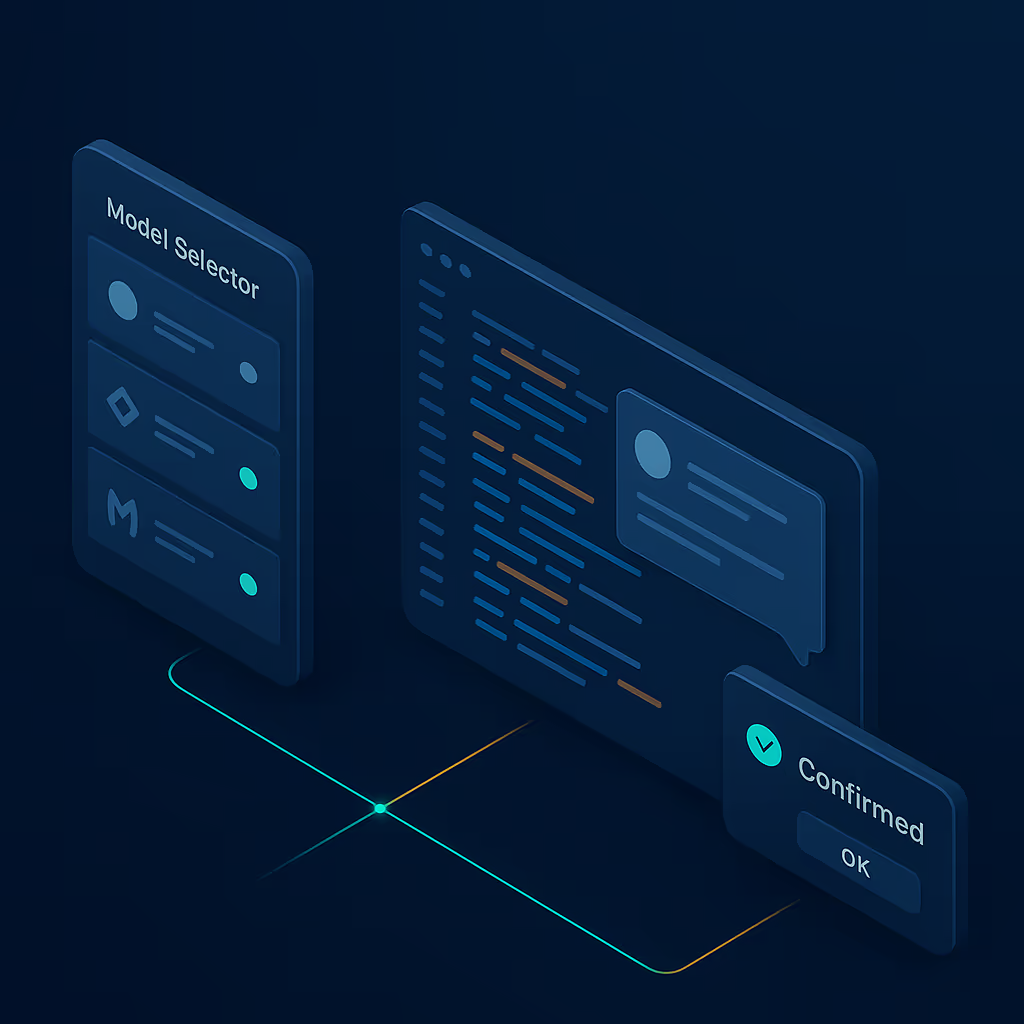
Eighty commits in seven days. MCP servers gained local and remote editing. The model selector groups by provider and sorts by price. Long-running agent runs pause for confirmation. Projects can be created from any folder. The diff view floats a review chat over your changes.
MCP server editing, local and remote
MCP server configuration used to mean editing JSON by hand. The settings view now has a form for adding, editing, and removing local stdio servers and remote SSE servers. Transport handling, logging, and status checks each live in their own module with tests. The popular-servers catalog updated to match the new schema.
If you run a local tool like sequential-thinking alongside a remote API gateway, both appear in the same list with clear labels. Server status shows connected, errored, or pending. You can see which tools are live before you start a thread.
Model selector grouped by provider
Picking a model from a flat alphabetical list works with three options. With thirty it gets tedious. The model selector groups models under their provider with a heading and logo. Anthropic models sit under the Anthropic banner, OpenAI models under theirs.
A new intelligence-by-price sort ranks models by capability per dollar. Hover over a model to see its pricing tier in a tooltip. Onboarding follows the same grouping: when you add your first provider, the recommended models for that provider appear pre-selected. Accept the defaults or swap one out.
Confirmation for long-running agent runs
Agents that spin for minutes burning tokens and API spend used to start without a checkpoint. When a run crosses a configurable turn limit, Tarsk pauses and asks you to confirm before continuing. The confirmation renders inline in the chat stream with the turn count and a summary of what the agent has done so far.
An answered-state badge replaces the spinner once you approve. The guard logic runs server-side in the agent executor with its own test suite. A tool call loop cannot bypass the confirmation.
Create projects from folders
New projects used to require a Git clone URL. You can point Tarsk at any local folder and it sets up the project workspace with its own configuration, thread history, and agent context. The create-project dialog simplified into a two-step flow: pick a source (clone or folder), then configure.
If folder creation fails partway through, the system rolls back both the metadata entry and the directory. You will not end up with a half-initialized project.
Floating review chat in the diff view
Reading a diff and jumping to a separate chat to ask about it breaks flow. A toggleable floating chat overlay sits inside the diff view. Open it, type a question about the highlighted changes, and the response appears inline. Close it and the diff fills the viewport again.
Git status in the input toolbar
Git operations moved from a standalone button into the chat input toolbar. A context provider feeds branch, status, and diff data to the agent without a separate panel. Status refreshes when you visit a thread and again after a fetch completes. The branch bar added a new-branch dialog. You can create branches without leaving the chat.
Cache invalidation tightened: after a fetch, the cache clears and state re-hydrates from the remote tracking branch. Stale status indicators do not survive a pull.
Task progress and conversation controls
The todo button renders an animated progress ring showing how many tasks the agent has completed. A tooltip lists the breakdown. The ring stroke animates as tasks finish. You can glance at progress without opening the panel.
Conversation history added a clear-history action with a confirmation dialog. Chat state tracking supports compact actions that fold long exchanges. Checkpoint restore moved to a tooltip on the message timestamp, which keeps the chat stream clean.
Voice, explorer, and internals
Voice input lazy-initializes Whisper on first mic press instead of at app start, which trims boot time. Transcription timing is optimized and the model receives text faster after you stop speaking. A voice model selector in General settings lets you pick which Whisper variant to use.
The explorer lazy-loads its search index on first interaction rather than at mount, cutting memory when you never search. Suspense fallbacks cover async conversation views and the UI does not flash blank while loading. The Redux store migrated from a monolithic useApp hook to typed useAppSelector and useAppDispatch calls, making component-level subscriptions explicit.
Typography scaled up across chat headers, input fields, settings, dialog titles, and tool-call blocks. Side panels and tabs block accidental text selection. Terminal output normalizes ANSI escapes. Tool blocks show read ranges and edit line counts instead of generic labels. Shell permission prompts render inline; you can approve or deny without a modal.
Key takeaways
- MCP and model selection rebuilt. Edit local and remote MCP servers in settings. Models group by provider with price-aware sorting and recommended defaults in onboarding.
- Agent runs ask before spending. Long-running sessions pause for confirmation at a turn limit, with inline status and server-side enforcement.
- Folder projects, diff chat, git in the toolbar. Three workflow changes that cut the distance between thinking and acting.
Update Tarsk and try it
Pull the latest build or download the desktop client. Configure an MCP server in settings, sort your models by price, and start a long agent run to see the confirmation prompt in action.